
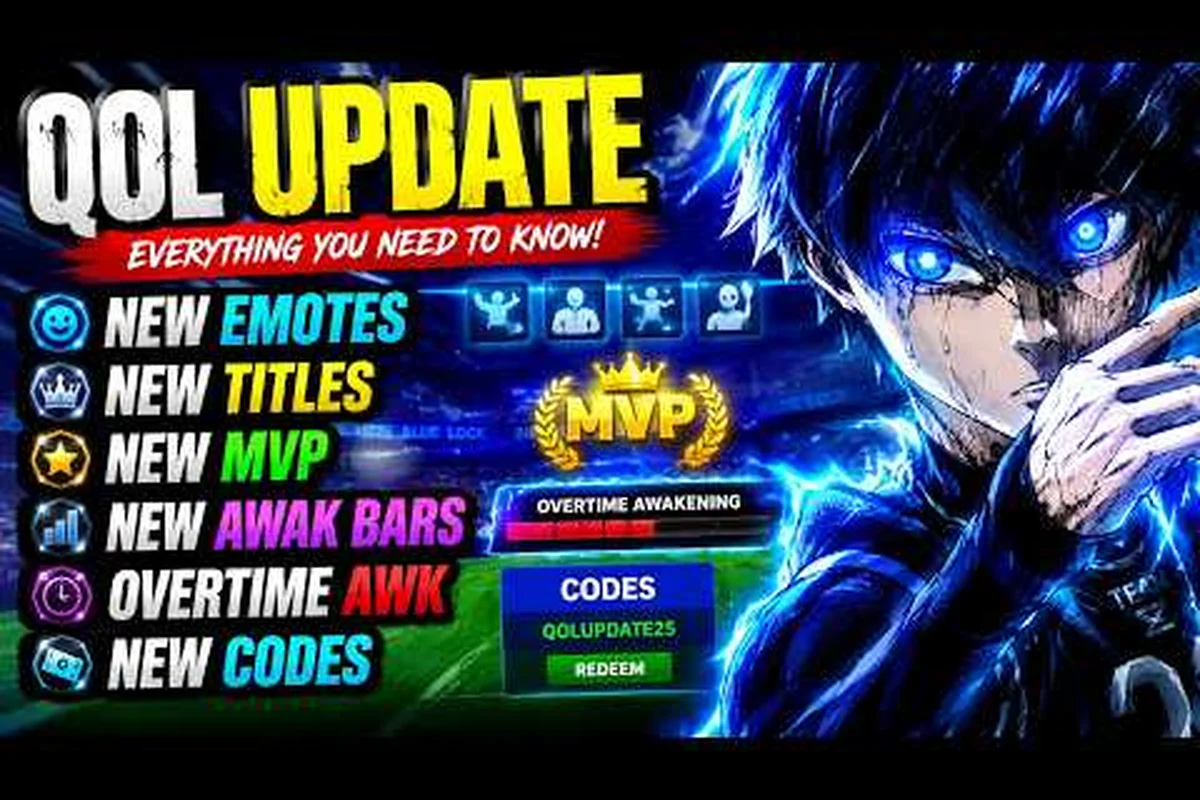
Blue Lock: Rivals titles help make your player profile distinctive, while cosmetic slots decide where rare labels and other cosmetics appear. Because title layers occupy specific cosmetic slots, their placement can affect which other items remain visible on your player profile, so scarce inventory should be reserved instead of equipped automatically. This guide explains what the verified options include and how to organize them without overlooking valuable inventory items.
Titles and Their Cosmetic Value
Blue Lock: Rivals titles are cosmetic labels that can help distinguish your player profile from other players. Their value is mainly visual, so the best choice is the one that fits your preferred presentation rather than an invented “meta” ranking. The official Roblox page for Blue Lock: Rivals as of November 2026 lists Legendary Titles among the available game passes, while also confirming separate cosmetic Slot 2 and Slot 3 passes.
That distinction matters because a title upgrade and an equipment slot are different purchases. One concerns the title feature itself, while the other expands where eligible cosmetics can be placed. Exact prices, drop rates, and the complete title list are not documented on the verified page, so check the live store before buying either option.
| Blue Lock: Rivals cosmetic feature | Verified purpose | Purchase information |
|---|---|---|
| Titles | Cosmetic labels for a player profile or card | Some individual titles may be sold separately |
| Legendary Titles | A premium title feature listed on the official page | Exact contents and price require in-game verification |
| Slot 2 | Adds a second cosmetic slot | A separate game pass is listed |
| Slot 3 | Adds a third cosmetic slot | A separate game pass is listed |
| Awakening Outfits | A separate cosmetic clothing feature | Exact availability and price are not documented |
How the Player Profile Display Works
The Blue Lock: Rivals player profile is the visible display where equipped cosmetics can communicate your identity. Titles usually function as labels within that broader presentation, while slots determine how many eligible cosmetic items can be equipped at once. This interpretation is supported by the official page separating Legendary Titles, cosmetic Slot 2, and cosmetic Slot 3 instead of presenting them as one combined upgrade.
Blue Lock: Rivals profile customization should therefore be evaluated in two layers. First, choose labels that look good together; second, confirm that you have enough compatible Cosmetic Slots to display them. Buying another title without an open slot may not change the final card, depending on the in-game loadout rules.
| Selection factor | What it changes | Practical question to ask |
|---|---|---|
| Title design | The label shown on the card | Does it fit my preferred visual theme? |
| Legendary status | The title’s advertised rarity tier | Is it the exact title I want? |
| Slot count | Number of eligible cosmetics that can be equipped | Do I need another slot for this plan? |
| Item compatibility | Whether a cosmetic can occupy the relevant slot | Does the item explicitly support this slot type? |
| Inventory status | Whether the item is owned, stored, or unavailable | Have I verified the item inside the current inventory? |
What the Verified Store Information Confirms
The official Roblox page describes the experience as a fan-made, unofficial tribute and says it is not endorsed by the anime rights holders or Kodansha. It also lists 14 game passes, including VIP Experience, Skip Spins, cosmetic Slot 2, cosmetic Slot 3, Awakening Outfits, Legendary Titles, and several custom sound options. Exact pass prices and values are not included in the verified record.
Players should therefore avoid unsupported claims such as a guaranteed percentage increase from a title, a documented drop rate for legendary labels, or a universal best slot configuration. Titles may be desirable because they are rare or visually striking, but their practical effect remains cosmetic. This distinction keeps your expectations aligned with the official page rather than community speculation.
Legendary Titles: Verified Options and Limits
Blue Lock: Rivals legendary titles are the most visibly premium category listed among the game’s cosmetic passes. However, “legendary” identifies a feature category; it does not by itself establish a specific title’s artwork, exact unlock requirement, ownership eligibility, or resale value. Those details should be verified in the live inventory and store.
Checking a Legendary Title Purchase
Before spending Robux, open the relevant in-game pass listing and record what it actually promises. Then compare that promise with the item preview shown for your account. A careful check takes a few minutes and prevents the common mistake of buying a category pass while assuming it grants a particular title that was never included.
| Verification step | What to confirm | Warning sign |
|---|---|---|
| Read the live description | Whether it grants one title, a title category, or related access | Vague wording without a clear deliverable |
| Preview the exact item | Whether its artwork matches your expectation | A generic rarity image instead of the named title |
| Check account ownership | Whether the pass already appears in your inventory | Paying twice for the same entitlement |
| Check slot compatibility | Whether the title can be equipped in an owned slot | The card remains unchanged after selection |
| Save the receipt | The purchase date and item details | Useful when troubleshooting ownership |
Before committing Robux, check whether related currency or spin rewards can also support your collection. Our Blue Lock: Rivals spins guide explains the verified spin options and how to compare reward systems without relying on undocumented drop rates.
Legendary Does Not Mean Gameplay Advantage
A legendary title should be evaluated on Visual Impact, Availability, and Compatibility, not damage or match performance. The game page supports the cosmetic nature of the feature, while the verified record provides no documented stat bonus attached to Legendary Titles. Any claim that a title changes shooting, movement, goalkeeping, or Style performance should be treated as unverified unless the developer later publishes it.
This distinction is especially important in a fast-paced football game where players select a Style before queueing. The Style affects available abilities, but a profile label belongs to the cosmetic layer. Community videos may demonstrate cosmetics and gameplay separately, so their observations should not be combined into unsupported claims about competitive benefits.
Understanding Preview and Ownership Limits
A preview can help you compare designs, but it may not prove that your account can equip the item. Check the same account from which you plan to play, confirm that the title is owned, and ensure the relevant slot is active. Some interface pages may also be temporarily misleading if a menu is still loading, so verify the final loadout in an actual profile preview before entering a match.
The title’s appearance can still have practical value even without a stat effect. A distinctive label can make teammates recognize your profile more easily, especially in a server containing many players. That benefit depends on readability and your own design preferences rather than a universal competitive ranking.
Organizing Cosmetics by Slot
Blue Lock: Rivals cosmetic slots are the clearest part of inventory organization because the official page separately lists Slot 2 and Slot 3 passes. The safest approach is to treat each slot as a limited display area and assign one item based on visibility, compatibility, and how often you want that cosmetic to appear.
A Practical Slot Assignment System
Start with your most important permanent label, then fill remaining positions with items that complement its colors or theme. If several cosmetics compete for one position, preview them against your normal profile background. The best arrangement is the one that remains readable while your profile is moving through menus.
| Inventory tier | Example item group | Recommended placement reason |
|---|---|---|
| Priority | Favorite title or most recognizable profile cosmetic | Keeps your preferred identity visible |
| Secondary | A coordinated outfit or secondary label | Complements the priority item |
| Experimental | Recently acquired or seasonal cosmetic | Allows temporary changes without disrupting the main set |
| Stored | Duplicates, old combinations, or incompatible items | Prevents accidental changes and simplifies navigation |
Blue Lock: Rivals inventory management becomes easier when you separate owned cosmetics from equipped cosmetics. Open the inventory after major purchases, confirm the item appears, and then revisit the card preview. This catches ownership or loadout confusion early, especially when multiple passes affect the same presentation layer.
Comparing Cosmetic Slots and Extra Passes
Slot 2 and Slot 3 are documented as separate passes, but their exact Robux prices are not included in the verified source. Compare the current live listing with your actual inventory needs. If one open slot can display every cosmetic you regularly use, another slot may have little immediate value; if you switch sets constantly, extra capacity can reduce inventory clutter.
| Question | Slot 2 consideration | Slot 3 consideration |
|---|---|---|
| Do you already own it? | Check the inventory before purchasing | Check the inventory before purchasing |
| Do you have a second complete set? | Useful for a clear theme | Useful for deeper rotation |
| Is the price acceptable? | Verify in the live store | Verify in the live store |
| Will it improve display capacity? | Adds one eligible position | Adds one more eligible position |
| Could you use the Robux elsewhere? | Compare against other upgrades | Compare against other upgrades |
This comparison also demonstrates why slot count should be based on current inventory pressure. More capacity is useful when you routinely rotate cosmetics, but it does not make a title more valuable on its own. The Blue Lock: Rivals VIP overview provides context for other passes and helps prevent evaluating one cosmetic upgrade without considering the broader bundle of game-pass features.
Keeping the Inventory Tidy
A simple rule is to keep equipped items in one mental group and alternate items in another. When a new purchase arrives, decide immediately whether it replaces an active item or belongs in storage. This habit reduces the repeated sorting that makes inventory screens frustrating, especially for players with many cosmetics across multiple passes.
Avoid deleting or selling anything solely because an item is marked legendary. The verified sources do not document trading rules, sale values, or whether titles can be returned. Review the item description and official transaction terms before taking irreversible action. If the game does not expose a sale option, the safest inventory strategy is simply to leave stored items untouched.
Inventory and Cosmetic Rotation
Blue Lock: Rivals inventory serves as the central record for checking cosmetics you own, equipped items, and available slot capacity. Because title-related purchases can involve several separate passes, inventory review is more reliable than remembering what you bought months earlier.
A Four-Step Inventory Audit
Start with the cosmetics section, identify each title you own, and note which slots currently contain a title. Next, verify that every important item has an eligible equipped position. Finally, remove duplicate or outdated combinations and confirm the final card appearance. Repeat this after purchasing a Legendary Titles pass or another slot pass.
| Audit stage | Action | Result |
|---|---|---|
| Ownership | Review every owned title and cosmetic | Builds a reliable collection list |
| Compatibility | Check the permitted slot for each item | Prevents loadout failures |
| Appearance | Preview the complete card | Confirms readability and balance |
| Maintenance | Remove duplicates from active sets | Keeps future changes faster |
| Verification | Recheck after each pass purchase | Confirms the entitlement is active |
If you are still building your account, the Blue Lock: Rivals leveling guide can help keep the broader progression loop in perspective. Cosmetics do not replace regular play, and a strong-looking card works best alongside continued practice.
Rotating Titles Without Losing Your Identity
A rotation plan gives each title a purpose instead of letting every rare item compete for the same position. You might reserve one title for your default competitive card, another for a themed set, and a third for occasional events. This method also prevents a new purchase from replacing a combination that already looks complete.
Community experience supports treating cosmetics as collectible presentation, although individual preferences vary. The available KTG Gaming playstyle video shows the breadth of player-style discussion in the community, while the official page remains the proper authority for title-related store facts. Mixing those sources this way keeps personal entertainment separate from verified mechanics.
When to Store a Cosmetic
Store an item when it duplicates a stronger theme, conflicts with the colors of your priority cosmetic, or causes your card to look cluttered. Keep it active when it improves recognition, completes a set, or gives you flexibility across different lobbies. These practical criteria are more reliable than an invented rarity ranking.
| Situation | Recommended action | Reason |
|---|---|---|
| Two titles look nearly identical | Keep the stronger readability in Slot 1 | Reduces visual clutter |
| A new title matches your theme | Test it in a secondary slot | Preserves your proven set |
| Item conflicts with your main cosmetic | Store it temporarily | Keeps the card balanced |
| You use several themes | Use additional slots for rotation | Shortens switching time |
| Item ownership is unclear | Pause purchases and verify inventory | Prevents duplicate spending |
Buying and Tracking Titles Safely
Buying Blue Lock: Rivals titles requires more care than identifying a design you like. The live store should determine the current price, included items, and purchase terms because the official page confirms feature categories but does not publish exact prices. A reliable buying process separates desire, ownership, compatibility, and cost.
Pre-Purchase Decision Checklist
Before confirming any Blue Lock: Rivals title purchase, distinguish the cosmetic’s visible label from its entitlement and inventory effects: a Legendary title can still occupy a separate cosmetic slot, while a renamed title may appear equivalent without granting the same pass privileges. Compare the store listing’s exact title name, rarity tag, and ownership benefits against your current inventory, then treat any sale discount as a price comparison—not proof that the Blue Lock: Rivals profile display or cosmetic slot upgrade is necessary for your intended build.
- Identify the exact item name shown in the store.
- Confirm that the account does not already own the entitlement.
- Compare the title with every equipped cosmetic.
- Verify whether another cosmetic slot is needed.
- Check the current Robux price in the live listing.
- Read the refund or ownership information.
- Save the purchase receipt for later verification.
This method is especially helpful when a sale changes the apparent value of a cosmetic pass. A lower price does not fix an item you do not want, and a legendary label does not need a new slot if the card already has room. Purchase Intent should come before rarity alone.
Tracking What You Already Own
Keep a small record containing the item name, acquisition method, acquisition date, compatible slot, and current status. The first four fields can be written in plain text, while the fifth can be marked active or stored. This creates a practical reference without requiring assumptions about undocumented trading systems.
| Record field | Example use | Why it helps |
|---|---|---|
| Item name | Exact in-game label | Prevents confusion with similar cosmetics |
| Source | Pass, reward, or other verified method | Simplifies ownership checks |
| Date | Purchase or acquisition date | Helps track account history |
| Slot | Compatible position | Speeds up loadout changes |
| Status | Active, stored, or needs review | Keeps rotation intentional |
Community reports can help players discover unusual presentation details, but they should not replace the account screen. If a player claims that a title cannot be equipped, check the current inventory and live item description because menus and pass rules may change. The game’s development state also justifies regular re-verification rather than relying on old screenshots.
Separating Verified Facts From Expectations
The verified record supports the existence of Legendary Titles, Slot 2, Slot 3, and other listed game passes. It does not support exact prices, universal title rankings, documented probabilities, or gameplay bonuses. Keep those categories separate when evaluating a purchase.
| Statement | Verification status | Best source to check |
|---|---|---|
| Legendary Titles are listed as a pass | Verified | Official Roblox game page |
| Slot 2 and Slot 3 are separate passes | Verified | Official Roblox game page |
| A particular title has a specific effect | Not documented | Current in-game description |
| A title has a specific Robux price | Not documented in the record | Live store |
| Titles improve match performance | No verified support | Current developer documentation |
| A title is best for every player | Subjective | Your own card preview and preferences |
This approach makes spending decisions more predictable by tying each Blue Lock: Rivals title purchase to a confirmed cosmetic slot rather than an assumed gameplay benefit. For example, Slot 2 and Slot 3 are separate passes, so treating a Slot 3 label as a replacement or upgrade for Slot 2 can lead to an unnecessary purchase. Review the live store price and your inventory before buying, and use the profile preview to compare cosmetics without assuming that a Legendary Title improves match performance.
Frequently Asked Questions
What are Blue Lock: Rivals titles?
Blue Lock: Rivals titles are cosmetic labels used to personalize a player profile display. The official Roblox page lists Legendary Titles as a separate game pass, confirming that premium title options exist. It does not publish a complete catalog, exact prices, or gameplay stat effects, so verify the exact title, included items, and current terms in the live store before purchasing.
Are Blue Lock: Rivals legendary titles worth buying?
A Blue Lock: Rivals legendary title is worth buying when you want its design, already own compatible cosmetic slots, and enjoy the way it personalizes your player profile. The verified page identifies Legendary Titles as a pass but documents no combat advantage, drop rate, or guaranteed resale value. Compare the exact title preview with your current card and verify the current price before deciding.
Do Blue Lock: Rivals cosmetic slots hold titles?
Blue Lock: Rivals cosmetic slots determine where compatible cosmetic items can be equipped, and titles are part of the cosmetic presentation discussed on the official page. Slot 2 and Slot 3 are sold as separate passes. Because the exact compatibility rules are not fully documented in the verified source, inspect the item description and preview the card after equipping a title to confirm its placement.
How should I organize my Blue Lock: Rivals inventory?
Organize your Blue Lock: Rivals inventory by separating equipped items from alternates, duplicates, and items that need compatibility checks. Start with the title that communicates your preferred identity, then fill remaining cosmetic positions with coordinated items. After each pass purchase, reopen the inventory and profile preview to verify ownership and equipped placement instead of relying on the purchase screen alone.
Can I trade or sell rare Blue Lock: Rivals titles?
The verified game page does not document a player-to-player trading system, resale values, or guaranteed sales for rare titles. Do not assume that a legendary title can be traded or sold, especially if that information comes from an old community post. Check the current in-game description and official transaction terms, and avoid taking any irreversible action until the relevant feature is clearly documented.